Google Ads Performance Dashboard
Smarter, Faster Campaign Management for Google Ads Agencies
Managing successful Google Ads campaigns requires strategy, clarity, and efficiency. The Google Ads Performance Dashboard from Agency Monitor helps agencies manage multiple accounts from a single view, with data-driven insights to save time, stay on top of spend, and keep results on track.

Clear and Actionable Insights Across Accounts
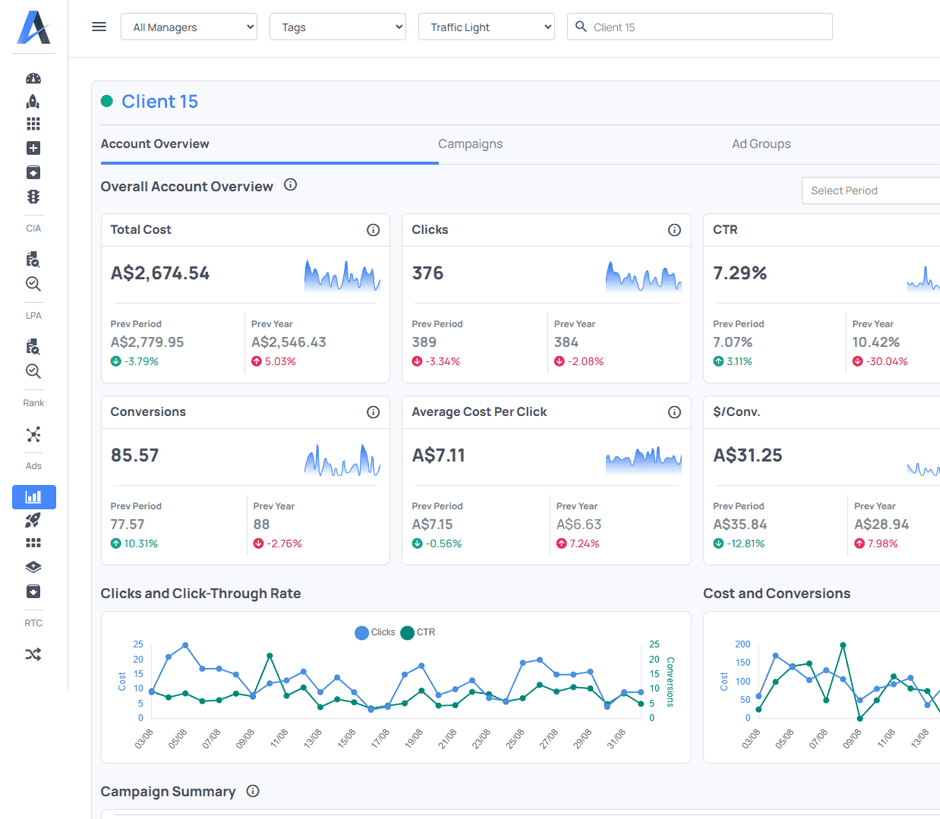
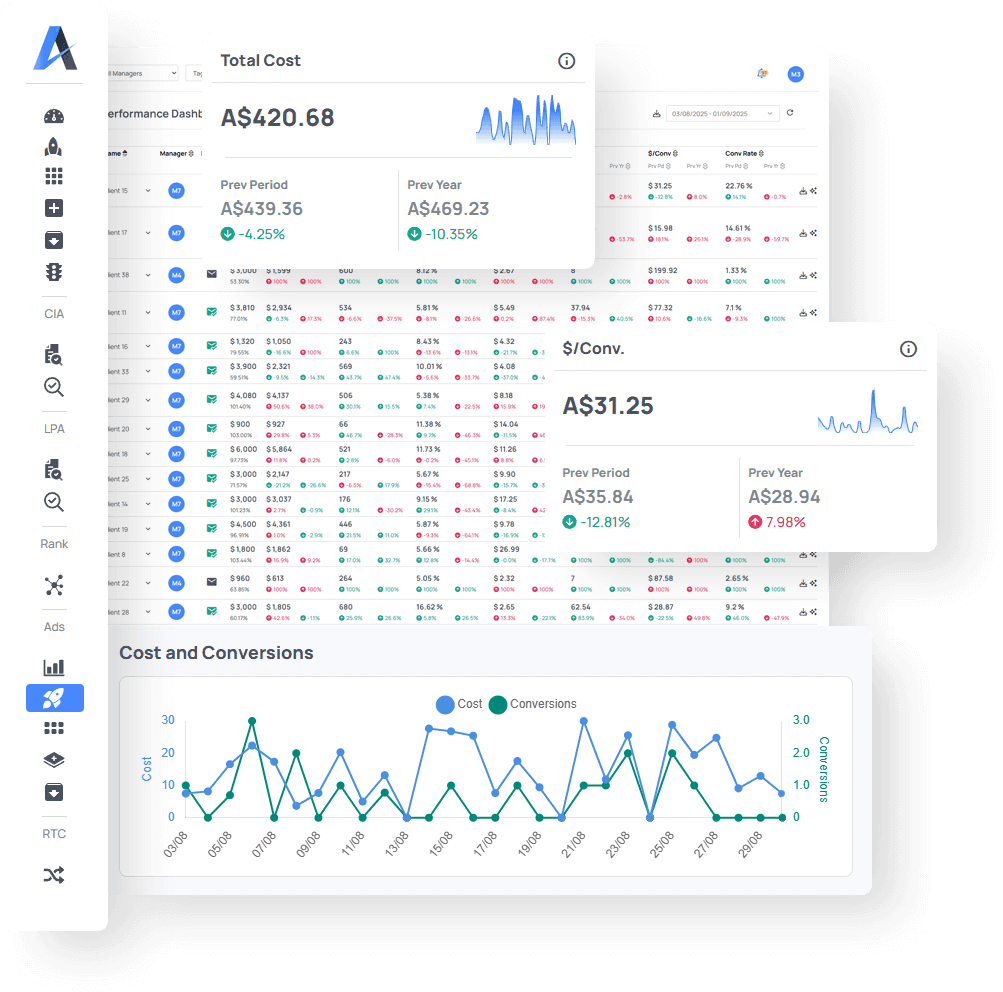
The dashboard delivers a structured overview of account, campaign, and ad group performance, all in one place. Select date ranges, compare results against the previous period or year, and track budget and spend at-a-glance.
Quickly see which campaigns are performing, which need attention, and where to invest your time to deliver the greatest value for your clients.
Key Features
Detailed Campaign Overviews
Break data down by account, campaign and ad group for insights into budget, cost and performance at every level.
Campaign Manager Filtering
View and sort campaigns by account manager for a clear overview of each team member’s client list, campaign progress and results.
Traffic Light Status
Set the status of each account to green, orange, or red based on metrics or client sentiment so you can easily see when campaigns are on track or need attention.
Report Status
Confirm on the spot whether the latest report has been sent to the client to manage clear and consistent communication.
Cost and Spend Comparison
Easily compare the total cost, budget and percentage spend for any selected time period to ascertain if a campaign is underspending.
AI Insights
Access instant feedback to assist in troubleshooting campaigns, with analytical insights and suggested ideas to improve performance.

Comprehensive Campaign Metrics
Clicks
Track the total number of clicks and compare previous period and year-on-year data to gauge engagement and reach.
Average Cost Per Click (CPC)
View the average amount you pay per click, giving you clear insight into how efficiently your budget is being spent.
Click Through Rate (CTR)
Determine your most effective and engaging ad copy by measuring the percentage of impressions that resulted in a click.
Conversions
Measure ads-driven conversions to see where your campaign is making a real difference to your clients’ bottom line.
Cost Per Conversion
Monitor the average cost to acquire a conversion, to help determine campaign profitability.
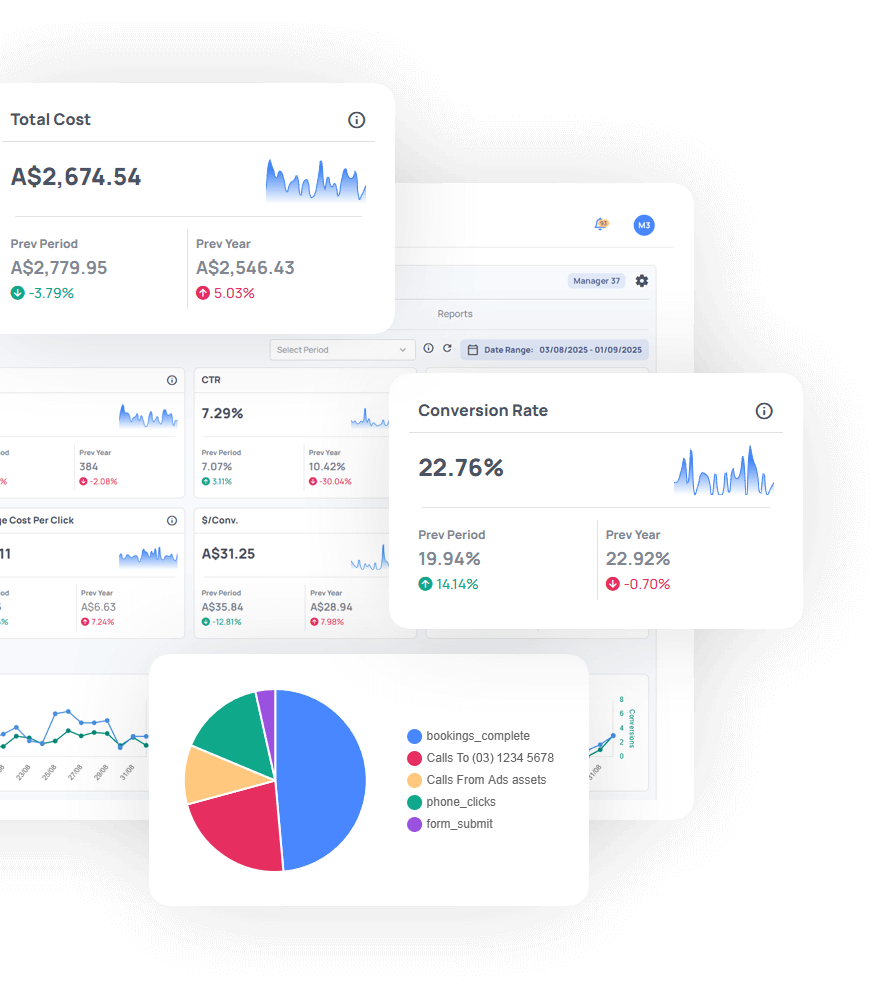
Conversion Rate
Track the percentage of clicks that result in a conversion to accurately measure the ROI of your campaign.
Why SEO Agencies Love It
Track account, campaign, and ad group performance from one view
Compare clicks, CTR, CPC, and conversion metrics side by side
Monitor budget spend and quickly see which campaigns are underspending
Replace spreadsheets with at-a-glance data and insights.
Manage team workload and performance

See the Dashboard in Action
Simplify your Google Ads monitoring and help your clients achieve more.
Start using Agency Monitor’s Google Ads monitoring dashboard today and take control of your campaigns.